|
Sensu : Add Check Plugins#1
2017/10/25 |
|
Sensu has only keepalive monitoring item by defalt, so if you'd like to add more items install plugin.
You can search many Plugins on Sensu Plugins Project below.
⇒ https://github.com/sensu-plugins/ |
|
| [1] | For example, install CPU check plugin. Install plugin on all nodes you'd like to monitor. |
|
[root@dlp ~]#
yum -y groups install "Development Tools" # install cpu-checks [root@dlp ~]# sensu-install -p cpu-checks [SENSU-INSTALL] installing Sensu plugins ... [SENSU-INSTALL] determining if Sensu gem 'sensu-plugins-cpu-checks' is already installed ... false [SENSU-INSTALL] Sensu plugin gems to be installed: ["sensu-plugins-cpu-checks"] [SENSU-INSTALL] installing Sensu gem 'sensu-plugins-cpu-checks' Fetching: linux-kstat-0.1.3-universal-linux.gem (100%) Successfully installed linux-kstat-0.1.3-universal-linux Fetching: sensu-plugins-cpu-checks-1.1.2.gem (100%) You can use the embedded Ruby by setting EMBEDDED_RUBY=true in /etc/default/sensu Successfully installed sensu-plugins-cpu-checks-1.1.2 2 gems installed [SENSU-INSTALL] successfully installed Sensu plugins: ["sensu-plugins-cpu-checks"] # possible to make sure included tools [root@dlp ~]# ll /opt/sensu/embedded/lib/ruby/gems/2.4.0/gems/sensu-plugins-cpu-checks-1.1.2/bin total 32 -rwxr-xr-x. 1 root root 4100 Oct 26 11:57 check-cpu.rb -rwxr-xr-x. 1 root root 1658 Oct 26 11:57 check-cpu.sh -rwxr-xr-x. 1 root root 1998 Oct 26 11:57 metrics-cpu-mpstat.rb -rwxr-xr-x. 1 root root 2236 Oct 26 11:57 metrics-cpu-pcnt-usage.rb -rwxr-xr-x. 1 root root 1729 Oct 26 11:57 metrics-cpu.rb -rwxr-xr-x. 1 root root 1212 Oct 26 11:57 metrics-numastat.rb -rwxr-xr-x. 1 root root 1964 Oct 26 11:57 metrics-user-pct-usage.rb # for running tools, specify the one under /opt/sensu/embedded/bin [root@dlp ~]# /opt/sensu/embedded/bin/check-cpu.rb -h
Usage: /opt/sensu/embedded/bin/check-cpu.rb (options)
        --cache-file CACHEFILE
    -c CRIT
        --guest                      Check cpu guest instead of total cpu usage
        --guest_nice                 Check cpu guest_nice instead of total cpu usage
        --idle                       Check cpu idle instead of total cpu usage
        --idle-metrics METRICS       Treat the specified metrics as idle. Defaults to idle,
                                       iowait,steal,guest,guest_nice
        --iowait                     Check cpu iowait instead of total cpu usage
        --irq                        Check cpu irq instead of total cpu usage
    -l, --less_than                  Change whether value is less than check
        --nice                       Check cpu nice instead of total cpu usage
        --proc-path /proc
        --sleep SLEEP
        --softirq                    Check cpu softirq instead of total cpu usage
        --steal                      Check cpu steal instead of total cpu usage
        --system                     Check cpu system instead of total cpu usage
        --user                       Check cpu user instead of total cpu usage
    -w WARN
|
| [2] | Configure plugin on Sensu Server. |
|
[root@dlp ~]#
vi /etc/sensu/conf.d/check-cpu.json # CPU Usage 80% of Warning, 90% of Critical # for [subscribers], specify the one set for [subscriptions] on each node # example below means all nodes which has [development] word for [subscriptions] are targeted
{
  "checks": {
    "cpu_check": {
      "command": "check-cpu.rb -w 80 -c 90",
      "subscribers": [
        "development"
      ],
      "interval": 60
    }
  }
}
systemctl restart sensu-server sensu-api |
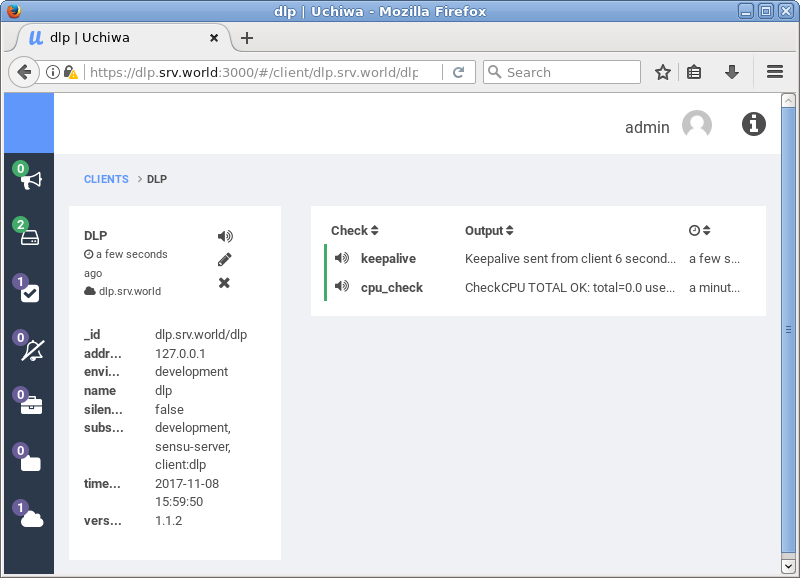
| [3] | Access to Uchiwa Dashboard and verify new target item is shown normally. |
|
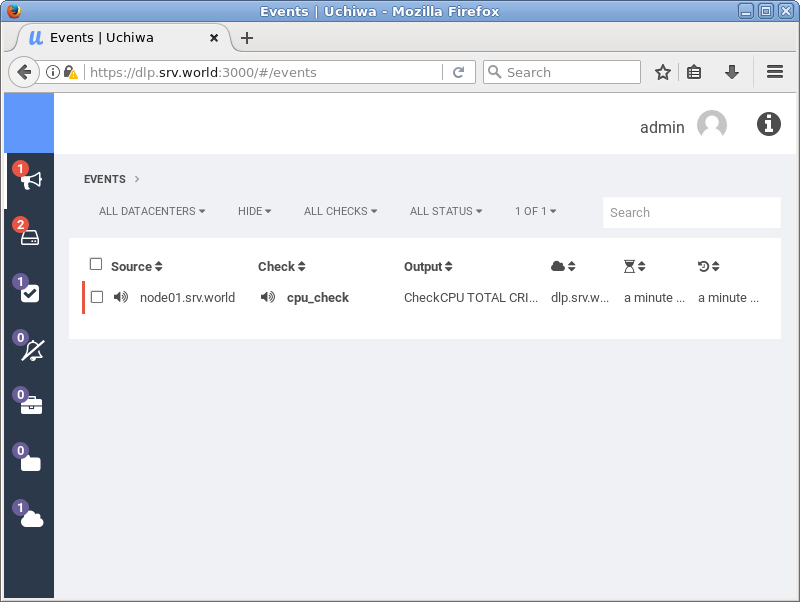
| [4] | If the value is over from threshold, warning is displayed. |
|
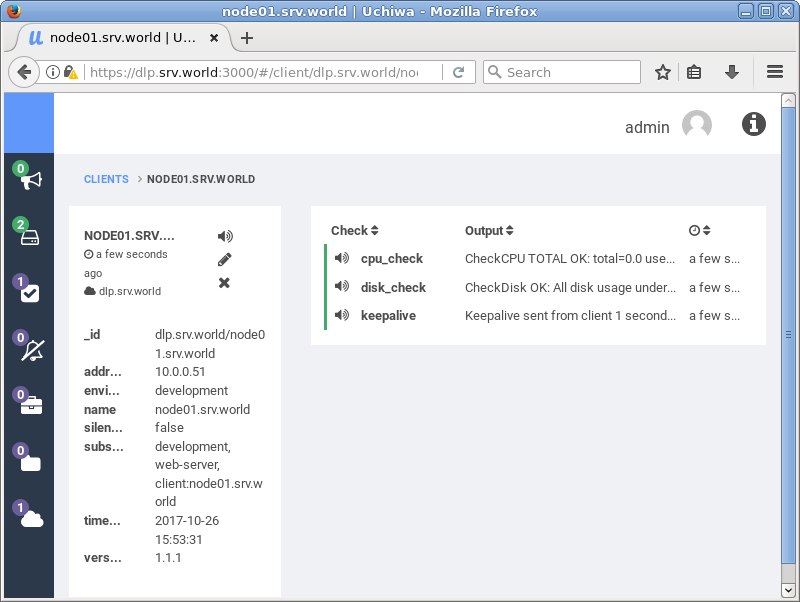
| [5] | It's possible to check not from Sensu server but on Client node itself. Then, create a conf file on client node and specify [standalone: true] in it like follows. |
|
# install disk-checks [root@node01 ~]# sensu-install -p disk-checks
[root@node01 ~]#
vi /etc/sensu/conf.d/check-disk-usage.json # if check on client itself, specify standalone: true
{
  "checks": {
    "disk_check": {
      "command": "check-disk-usage.rb -w 70 -c 80",
      "standalone": true,
      "interval": 600
    }
  }
}
systemctl restart sensu-client |
|